The screen shots below should give you a good idea of the PyroBatchFTP
program. However, by their nature, they cannot show all features. So
please check the feature list also, or
download PyroBatchFTP for
a full test drive.
Please click on the thumbnails to see full size screenshots.
|
|
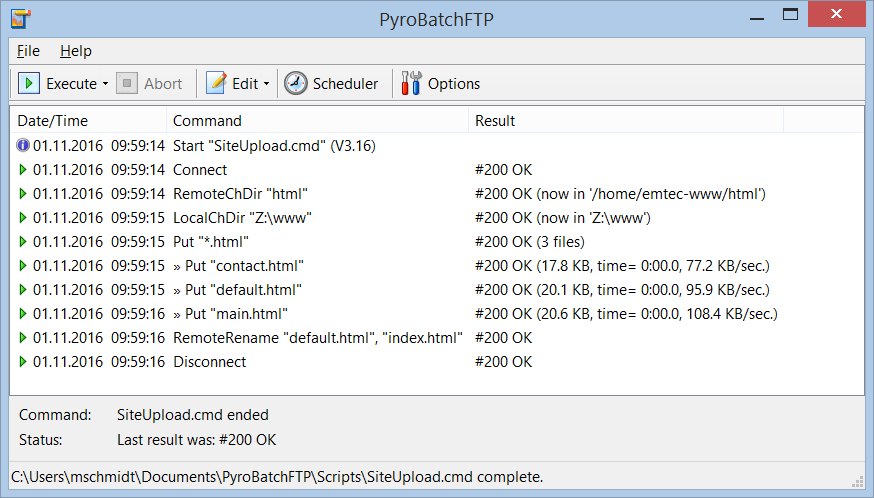
This is the PyroBatchFTP main window. The commands for the file
transfer are stored in script files and run one after the other.
The results (which are written into a log file) are shown in the
program window to help you to develop the scripts. Eventually
the scripts will be started from the command line with the PyroBatchFTP
window minimized.
|
|
|
|
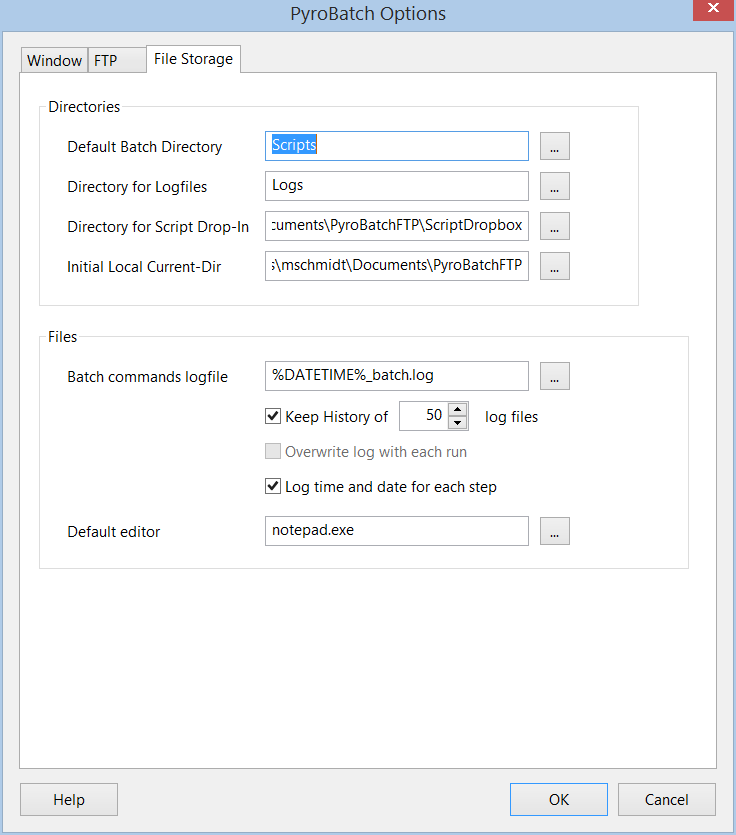
PyroBatchFTP offers logging of scripts with full result codes in plain text format.
If you run scheduled scripts, the program can keep a history of logs in order to
let you check previous results.
|
|
|
|
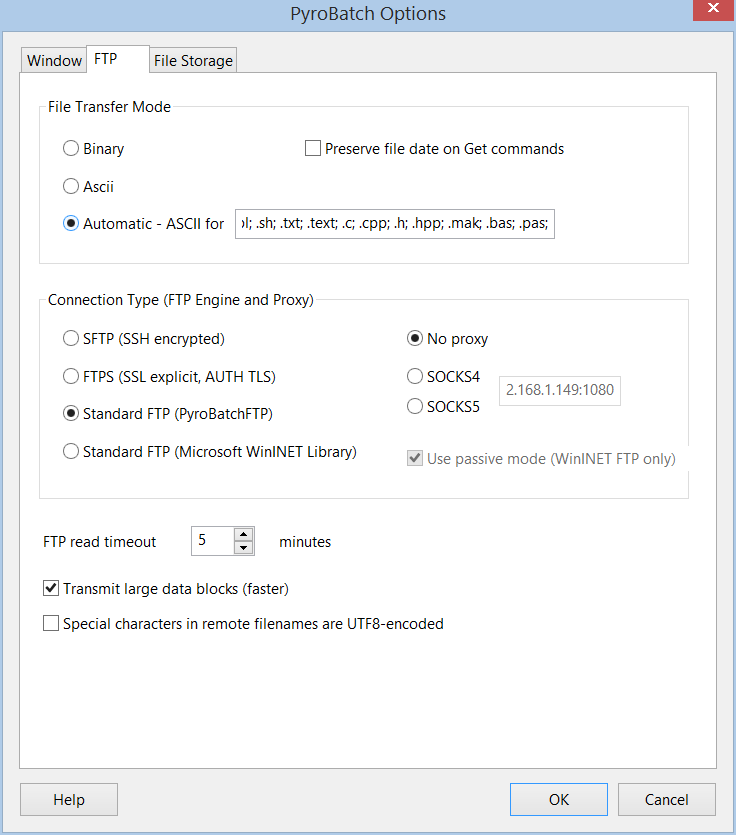
PyroBatchFTP supports binary and text file transfer modes. You can
set these by default (and change them in the script) or use automatic
mode and let PyroBatchFTP determine the file mode depending on the
file extension.
|
|
|
|
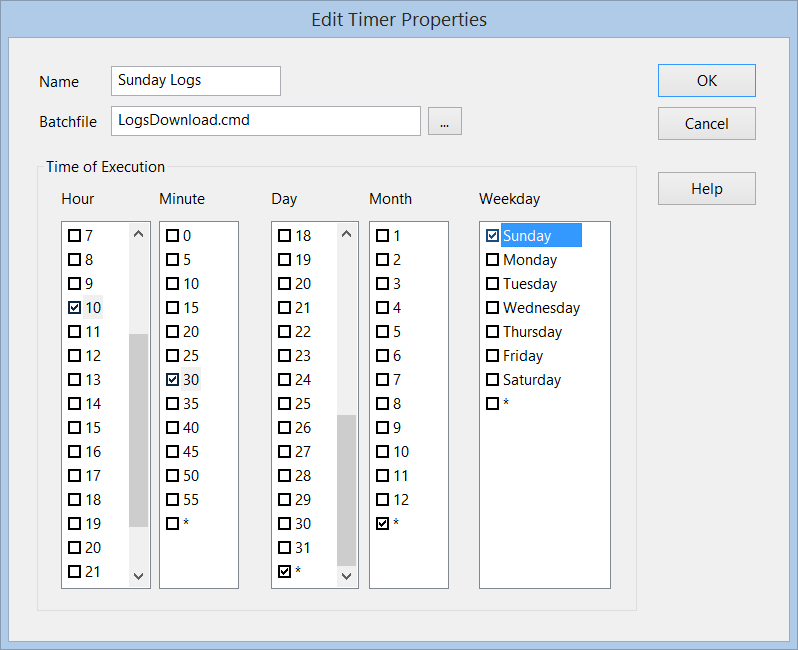
PyroBatchFT has a built in scheduler to start scripts at given times/dates
(once or regularly, e.g. 11am and 5pm every Monday through Friday).
|
|
|